Start with the manuscript
Create a book in Cambric or import a DOCX from Word, Google Docs, or a Scrivener compile. The point is to preserve the prose you already wrote and move it into a book-aware project, not force you to begin again.
Cambric keeps writing, book structure, professional typesetting, live print preview, PDF, and EPUB inside one desktop production path. Here is exactly what happens between opening the manuscript and uploading the finished files.
A PDF is the final fixed snapshot for print. An EPUB is a reflowable delivery package for screens. Neither should become the place where you maintain the book. Cambric keeps the editable manuscript and its design rules together, then regenerates both outputs whenever the source changes.
That single-source model is what removes the worst production loop: correct Word, rebuild print, patch ebook, discover the two editions differ, then repeat. In Cambric, corrections happen where the text and structure live.
A straightforward novel can move quickly. A complex nonfiction or poetry manuscript needs more inspection. The workflow stays the same even when the amount of editorial judgment changes.
Create a book in Cambric or import a DOCX from Word, Google Docs, or a Scrivener compile. The point is to preserve the prose you already wrote and move it into a book-aware project, not force you to begin again.
Review chapters, title page, copyright, dedication, table of contents, scene breaks, headings, images, notes, acknowledgments, and other book parts. Clean structure is the shared foundation for reliable print and ebook output.
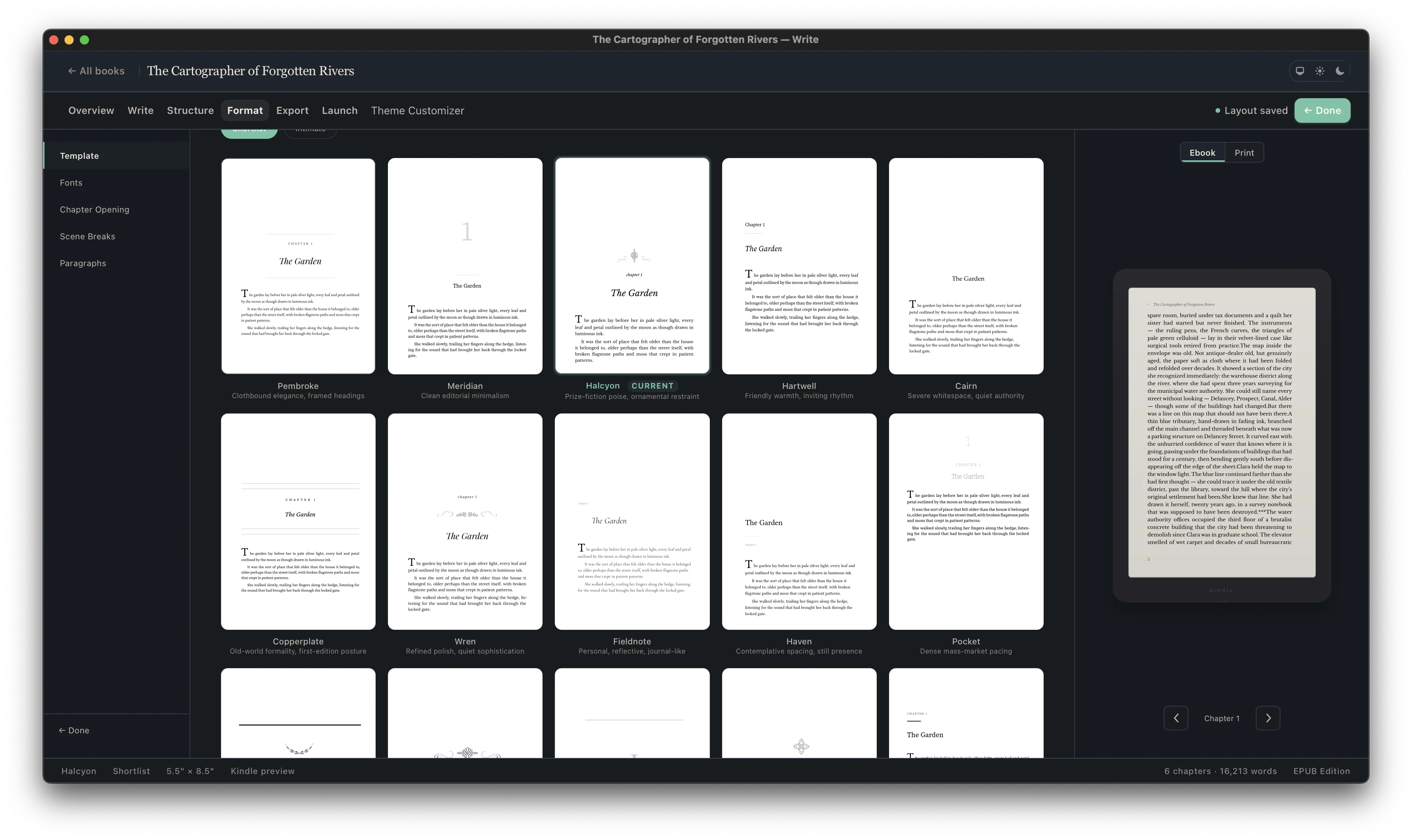
Select a professional template, trim size, and edition settings. Cambric applies coordinated typography and recurring page rules across the manuscript instead of asking you to style each chapter by hand.
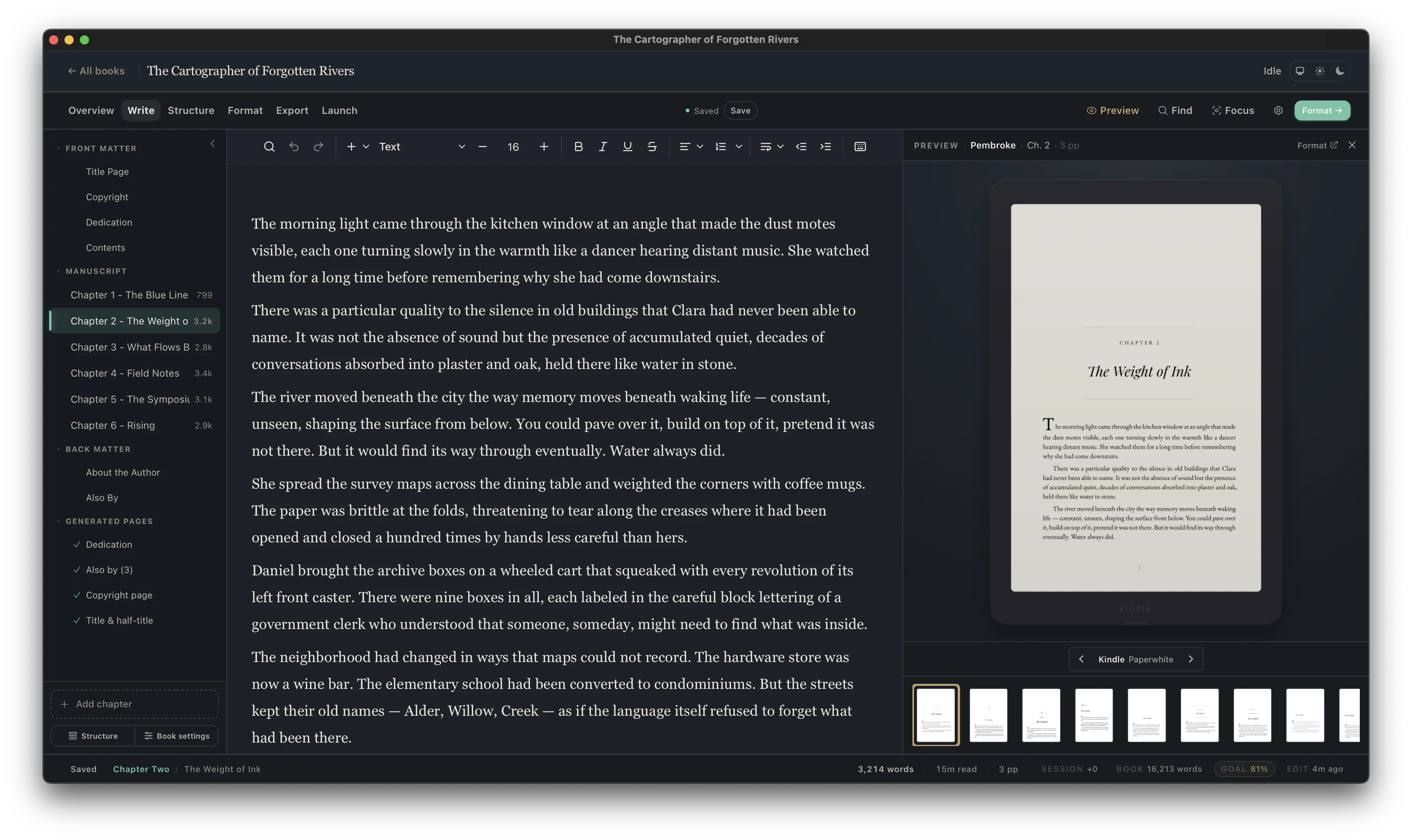
Read the typeset pages beside the editable manuscript. Check chapter openings, page rhythm, running heads, short final lines, scene breaks, images, and unusual content while every correction still belongs to the source.
Generate a fixed print interior and a reflowable ebook from the same project. Inspect both artifacts, upload them to the retailers you use, and return to the source whenever the book needs a correction or new edition.
A scrolling editor hides the physical consequences of prose. A print proof reveals them, but late. Cambric places the composed page next to the editable manuscript so an author can catch issues while the source is still fluid.
Cambric does not become a middleman between the author and distribution. You upload the files through accounts you own and keep the publishing data under your control.
Use a fixed interior PDF for paperback or hardcover workflows at Amazon KDP, IngramSpark, and other print services. Match its trim and edition settings to the platform listing, then inspect the upload preview and physical proof.
Use the reflowable ebook for Kindle, Apple Books, Kobo, Barnes & Noble Press, Google Play Books, and wide distributors. Test navigation, reading order, links, images, and behavior at different display settings.
Keep the local project as the editable source. Back it up, label released exports, and return to it for corrections, new back matter, series updates, large-print editions, or a future channel.
No. You can import a DOCX from the writing tool you already use, then continue editing and produce the interior in Cambric.
It shows the composed print pages based on your manuscript, selected interior, trim, and book settings. That lets you evaluate the actual content rather than a generic template sample.
No. Cambric focuses on the manuscript and book interior. The print cover is a separate design file whose spine depends on final page count, paper, trim, and binding.
Yes. Make the change in the Cambric project and export fresh PDF and EPUB files. The editable project remains the source of truth.
No. Cambric exports a fixed-page print PDF and EPUB 3. Those formats are used across print and ebook workflows, but every destination controls its current file requirements and acceptance.
Cambric is local-first desktop software. Working projects live on your computer, and you choose the backup and storage system.